Last updated: 2026-10-15
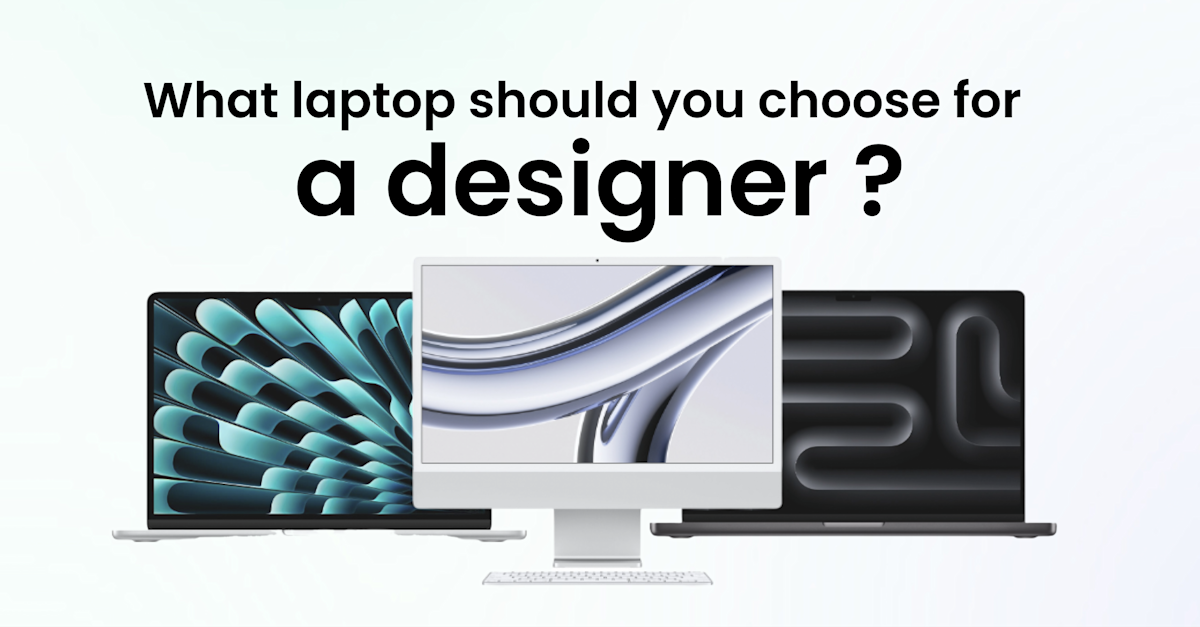
The best laptop for graphic design depends on what the designer produces. For 2D work (branding, print, UI), a MacBook Air or MacBook Pro with an M5-family chip and 16 to 24 GB of memory is enough. For 3D and heavy video, choose a MacBook Pro with M5 Pro or M5 Max, or a Windows workstation with an NVIDIA RTX PRO GPU.
Companies that equip several designers often prefer to lease a MacBook for your business rather than buy, to renew on a 36-month cycle.
Quick verdict
Choose a Mac if the team works mainly in Adobe Creative Cloud, Figma or Affinity on 2D, photo and video, and values colour-accurate screens, battery life and resale value.
Choose a Windows PC if the work includes 3D rendering with CUDA or OptiX, CAD tools that only run on Windows, or a need for upgradeable desktops and a wide choice of GPUs.
Neither is wrong for 2D: Photoshop, Illustrator, InDesign and Figma run on both. Team habits, existing fleet and MDM tooling should settle it.
Criterion | Mac (Apple M5 family) | Windows PC (Intel, AMD, NVIDIA) |
|---|---|---|
Creative software | Adobe Creative Cloud, Figma, Affinity, Final Cut Pro, Blender, Cinema 4D | Adobe Creative Cloud, Figma, Affinity, Blender, Cinema 4D, 3ds Max, most CAD tools |
2D performance | Very strong from the base M5 upwards | Very strong on recent Intel Core Ultra and AMD Ryzen AI chips |
3D and GPU rendering | Good on M5 Pro, strong on M5 Max; Metal rendering | Strongest with dedicated NVIDIA RTX PRO GPUs (CUDA, OptiX) |
Memory | Unified memory, not upgradeable after purchase; up to 128 GB on M5 Max | Up to 128 GB on some mobile workstations; desktops are upgradeable |
Built-in screen | P3 wide colour on every model; Liquid Retina XDR (HDR, 120 Hz) on MacBook Pro | Varies widely; look for factory-calibrated OLED or 100% DCI-P3 panels |
Model choice | Short, predictable range | Very wide range across Dell, HP, Lenovo and others |
Fleet management | Apple Business Manager + MDM, zero-touch enrolment | Windows Autopilot + Intune or another MDM |
Models and specifications checked on Apple, Dell, HP and Adobe pages in October 2026.
How we compared
The comparison looks at what a company needs when it equips designers, not what a single freelancer needs. Criteria: software compatibility, performance by type of work (2D, 3D, video), screen and colour accuracy, laptop versus desktop, manageability at company scale, and total cost over a 36-month life. Reference scenario: a 50 to 500-employee company with a design team of 3 to 15 people, mixing office and remote work. Sources are the manufacturers' technical specification pages and Adobe's published system requirements, checked in October 2026.
Mac for graphic design in brief
Apple's current range for creative work is built on the M5 chip family. The MacBook Air 15-inch (M5, 2026) ships with a 10-core CPU, a 10-core GPU, 16 GB of unified memory and 512 GB of storage as standard, on a 15.3-inch P3 screen. The MacBook Pro 14 and 16-inch with M5 Pro or M5 Max add a Liquid Retina XDR display, more GPU cores and up to 128 GB of memory on M5 Max.
The Mac's historical lead with designers comes from colour management built into macOS, consistent screens across the range and a stable hardware lineup that IT can standardise on. The trade-off is that memory and storage cannot be upgraded after purchase, so the configuration has to be right on day one.
Windows PC for graphic design in brief
On Windows, the right category is the mobile workstation rather than the consumer laptop. Examples in late 2026 include the Dell Pro Max 16 with NVIDIA RTX PRO Blackwell graphics, the HP ZBook Ultra 14 with AMD Ryzen AI Max+ PRO and up to 128 GB of unified memory, and Lenovo's ThinkPad P series. These machines carry ISV certifications for professional 3D and CAD software.
Windows gives more choice of GPU, screen and form factor, and desktop towers can be upgraded part by part. Every new device should run Windows 11: Microsoft ended support for Windows 10 on 14 October 2025, so a Windows 10 machine no longer receives security updates without a paid extension.
What specs does a graphic designer need?
For 2D design, the floor in 2026 is a recent chip, 16 GB of memory, a 512 GB SSD and a colour-accurate screen. Photo retouching on large files calls for 24 to 32 GB. 3D and video move the budget to the GPU and to 32 to 64 GB of memory, with 1 to 2 TB of fast storage. Adobe lists 16 GB as the recommended memory for Photoshop; designers who keep Photoshop, Illustrator, Figma and a browser open at once use more.
Recommended configuration by type of work
Type of work | Typical software | Chip / GPU | Memory | Storage | Screen |
|---|---|---|---|---|---|
2D: branding, print, UI, web | Illustrator, InDesign, Figma, Affinity | Apple M5, or recent Intel Core Ultra / AMD Ryzen AI with integrated graphics | 16 GB minimum, 24 GB comfortable | 512 GB to 1 TB SSD | 100% sRGB minimum, P3 preferred; 27-inch external monitor |
Photo and retouching | Photoshop, Lightroom Classic | Apple M5 or M5 Pro, or Windows with an entry-level dedicated GPU | 24 to 32 GB | 1 TB SSD + external or cloud archive | Calibrated, Adobe RGB coverage for print work |
Motion design | After Effects, Cinema 4D | Apple M5 Pro, or Windows with an NVIDIA RTX PRO GPU | 32 to 48 GB | 1 to 2 TB SSD | P3, 120 Hz helps for previews |
3D modelling and rendering | Blender, Cinema 4D + Redshift, 3ds Max | Apple M5 Max, or Windows workstation with a high-end RTX PRO GPU | 48 to 64 GB or more | 2 TB SSD | P3; second screen for viewport and tools |
Video editing and colour | Premiere Pro, DaVinci Resolve, Final Cut Pro | Apple M5 Pro or M5 Max (hardware media engines), or Windows with RTX PRO | 32 to 64 GB | 2 TB SSD + fast external drive | HDR-capable, P3 (Liquid Retina XDR or OLED) |
These are working recommendations for a company that keeps devices for 36 months: they include headroom for software updates over that period, which is why they sit above Adobe's minimums.
Which one handles 2D design and photo better?
For 2D work and photo retouching, Mac and Windows are level on performance: the base M5 chip and current Intel and AMD laptop chips all run Illustrator, InDesign, Photoshop and Figma smoothly with 16 to 24 GB of memory. The difference is in the screen. Every MacBook has a P3 wide-colour display, while Windows laptops range from excellent factory-calibrated OLED panels to basic office screens.
On a Mac, the buying decision is mostly about memory: 16 GB for UI and web designers, 24 GB for print and photo. On Windows, the screen specification needs as much attention as the processor. Check the colour gamut (100% sRGB at least, DCI-P3 or Adobe RGB for print and video) and whether the panel is calibrated at the factory.
Advantage: Mac (screen quality is consistent across the whole range).
Which one is better for 3D and video?
For GPU-heavy 3D rendering, a Windows workstation with an NVIDIA RTX PRO GPU remains the reference: many render engines and plugins are optimised for CUDA and OptiX first. For video editing, the MacBook Pro with M5 Pro or M5 Max is very strong thanks to its hardware video engines, unified memory and XDR screen, and Final Cut Pro runs only on Mac.
Blender's Cycles renderer supports NVIDIA (CUDA, OptiX), AMD (HIP) and Apple (Metal) GPUs, so a Mac can render 3D scenes, but the largest scenes and some GPU-only plugins still favour NVIDIA hardware. Studios that rely on 3ds Max, which is Windows-only, have no choice. For video, Premiere Pro and DaVinci Resolve run on both platforms; the MacBook Pro's battery life when editing away from a desk is a practical advantage for hybrid teams.
Advantage: Windows for 3D rendering, Mac for video editing.
Laptop or desktop for a graphic designer?
A laptop plus an external monitor is now the default for designers in hybrid teams: current laptops have the power for 2D, photo and most video work, and the same device follows the employee between office and home. A desktop makes sense for fixed workstations dedicated to 3D rendering or colour grading, where maximum GPU power and upgradeability matter more than mobility.
In both cases, the external screen is where colour-critical work happens. A 27-inch monitor with at least 100% sRGB coverage, and hardware calibration for print or video teams, is part of the setup, not an accessory. Add an adjustable laptop stand, a separate keyboard and mouse, and a pen tablet for illustrators and retouchers. In the UK, the Health and Safety (Display Screen Equipment) Regulations 1992 require employers to assess display screen workstations, which covers designers working at home too.
Advantage: Tie (laptop for hybrid teams, desktop for fixed render or grading stations).
Which one is easier to manage across a company?
Both platforms can be managed at scale. Macs enrol automatically through Apple Business Manager and an MDM such as Jamf, Kandji or Intune, so a laptop shipped to a new designer configures itself at first login. Windows PCs do the same with Windows Autopilot and Intune. The real difference is range size: a short Apple lineup is easier to standardise than dozens of Windows configurations.
Designers install many plugins, fonts and trial tools, which makes them one of the harder profiles to secure. An MDM lets IT push Creative Cloud, enforce disk encryption and OS updates, and wipe a lost laptop remotely without blocking the designer's day-to-day work. Large project files also need a backup policy: local SSDs fill up quickly with video and 3D assets.
Advantage: Mac (smaller, more uniform range to standardise).
What does a graphic design laptop cost over 36 months?
A design laptop costs more than its purchase price. Over 36 months the total cost includes the device itself, the external monitor and accessories, setup time, repairs and replacement units during breakdowns, MDM licences, then data wiping and resale or recycling at the end. High-end configurations lose value fastest in absolute terms, which is why many companies finance them rather than tie up cash.
Cost item | Buying outright | Leasing over 36 months |
|---|---|---|
Upfront cash | Full price of each device on day one | None; fixed monthly fee per device |
Accounting | Capitalised and depreciated over 3 years in most frameworks | Monthly fee booked as an operating expense |
Repairs and breakdowns | Paid as they occur, plus downtime | Typically included, with a loaner device |
Configuration upgrade mid-cycle | New purchase | Swap or add a device under the contract |
End of life | Data wipe, resale or recycling handled in-house | Device returned, wiped and reconditioned |
The 36-month cycle matches how fast creative software requirements rise: a configuration that is comfortable today will be at the minimum by year three. Matching the contract length to that cycle avoids designers working on machines that slow down deadlines. For the finance side of the decision, see moving IT spending from Capex to Opex.
Advantage: Tie (the cost structure depends on the financing model more than on the platform).
Which is the best laptop for graphic design for your team?
The right choice follows the designer's main output and the existing fleet, not brand preference. Most 2D and video teams are best served by MacBook Air or MacBook Pro configurations; 3D-heavy and CAD-dependent teams by Windows mobile workstations with NVIDIA RTX PRO graphics. Mixed teams can run both if the MDM covers macOS and Windows.
UI, web and brand designers: MacBook Air 15-inch (M5) with 24 GB, plus a 27-inch external monitor. Deciding criterion: P3 screen and battery life at a moderate configuration.
Print and photo retouchers: MacBook Pro 14-inch with M5 Pro, or a Windows laptop with a factory-calibrated Adobe RGB screen. Deciding criterion: colour accuracy and 24 to 32 GB of memory.
Motion designers and video editors: MacBook Pro 16-inch with M5 Pro or M5 Max. Deciding criterion: hardware media engines and XDR screen.
3D artists and studios using 3ds Max or GPU render engines: Windows mobile workstation (Dell Pro Max, HP ZBook, Lenovo ThinkPad P) with an RTX PRO GPU. Deciding criterion: CUDA and OptiX support.
Company already standardised on Windows: keep Windows for 2D designers too, with a calibrated screen, unless the designers' tools require macOS. To compare both platforms beyond design work, see MacBook or Windows laptop, and to choose within Apple's range, MacBook Air or Pro.
Equip your design team with Fleet
Equipping designers means getting four things right at once: enough unified memory or VRAM for the next three years, a colour-accurate external screen, plugins and fonts installed without opening security gaps, and a renewal before the machine falls below the software's requirements. Each step can be handled in-house, but each one adds time for IT or the Office Manager, and a misjudged configuration stays on the books for three years.
Fleet handles the design workstation end to end, in one platform, across 150+ countries:
Creative-grade catalogue: lease MacBook Air, MacBook Pro and Windows workstations from Fleet's laptop catalogue, new or refurbished.
Ready on day one: devices arrive pre-configured through zero-touch enrolment, so a new designer can open Creative Cloud on the first morning.
Delivered fast: devices reach employees in 3 to 5 working days, at the office or at home.
Repairs without downtime: 100% warranty coverage, repairs and a loaner device included for the whole contract.
Predictable budget: a fixed monthly subscription with no upfront investment, even for M5 Max or RTX PRO configurations.
Renewal every 3 years: devices are renewed on a 36-month cycle and Fleet handles their second life.
Book a demo and see how Fleet helps you keep your designers on the right machine for their work.
FAQ
Is a MacBook Air good enough for graphic design?
Yes, for 2D work. The MacBook Air with an M5 chip runs Illustrator, InDesign, Photoshop and Figma comfortably with 16 to 24 GB of memory and has a P3 screen. It has no fan, so long 3D renders or video exports slow down under sustained load; for those, a MacBook Pro is the better fit.
How much RAM do I need for graphic design?
16 GB is the practical minimum for professional 2D design, and Adobe lists 16 GB as recommended for Photoshop. Photo retouching on large files works better with 24 to 32 GB. 3D, motion design and video editing need 32 to 64 GB, and large 3D scenes can use more.
Do graphic designers need a dedicated graphics card?
Not for 2D work: the integrated graphics in Apple M5 chips and recent Intel and AMD processors handle illustration, layout and photo editing. A dedicated GPU, or a higher-tier Apple chip such as M5 Pro or M5 Max, becomes useful for 3D rendering, motion design and video effects.
How long does a graphic design laptop last?
Most companies plan for 3 years of professional use. The hardware often works longer, but creative software requirements rise with each release, and a laptop that was comfortable on day one is at the minimum by year three. A 36-month renewal cycle keeps designers on supported, responsive machines.
Is a laptop or a desktop better for graphic design?
A laptop with an external monitor suits most designers, especially in hybrid teams. A desktop is better for fixed 3D rendering or colour-grading stations, where maximum GPU power and upgradeable parts matter more than mobility.
Conclusion
Mac or PC for graphic design is decided by the type of work: Apple's M5 range leads for 2D, photo and video, Windows workstations with NVIDIA RTX PRO graphics for GPU-heavy 3D and Windows-only tools. Whatever the platform, size memory and storage for three years of software updates, budget for a calibrated external screen, and plan the renewal from the start.
See how Fleet handles this in practice
200+ devices, sourced locally and delivered pre-configured to 150 countries — buy or lease, same price.